Security and trust

Autonomous, not unsupervised.

An agent that writes to your prospects should be the most constrained software you run. Here is exactly what it can and cannot do.

  • You approve every launch
  • No send tool for AI agents
  • Hard bounces never retried
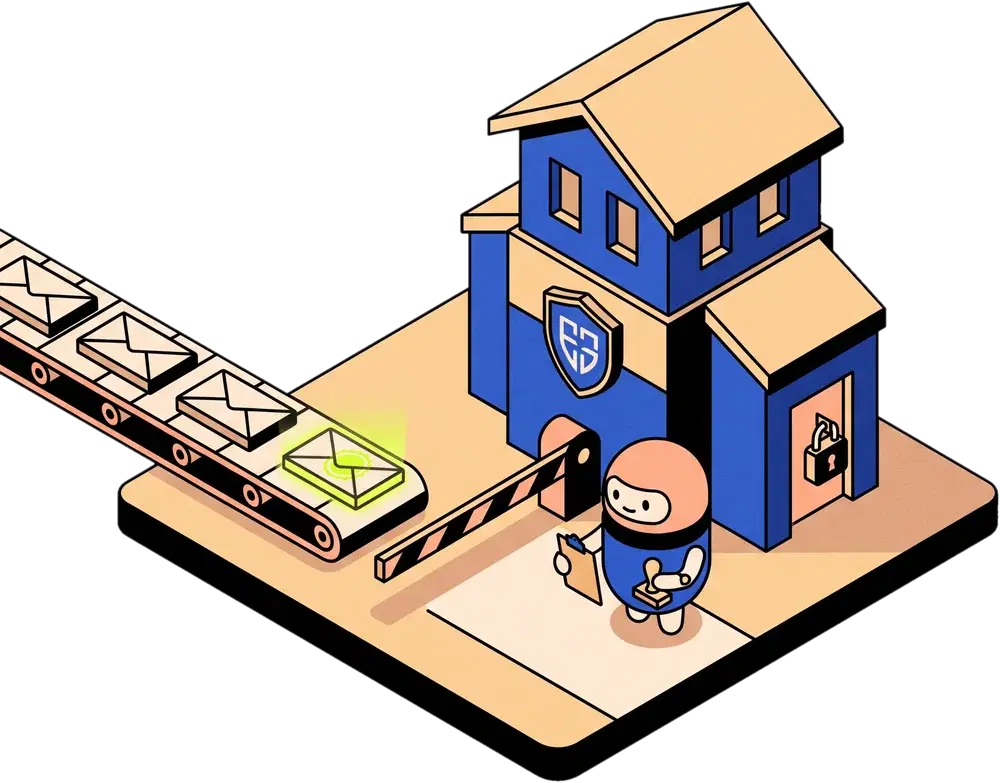
Illustration of a gatehouse that checks envelopes on a conveyor belt before they leave the building

Before anything is sent

Five checkpoints, in this order.

Approving a launch is a decision you make once per campaign. The other gates apply to every send.

  1. You approve the launch

    Always

    Approving Day 1 always needs a person. Until you approve it, nothing is sent.

  2. Daily caps

    20 sends per mailbox per day, so your daily quota is 20 times the mailboxes you connect. LinkedIn invites stay within platform limits.

  3. Safety guards

    Dedupe, bounce and opt-out guards, plus a spend gate that caps paid sourcing and credit use by plan.

  4. Stop conditions

    A reply, a bounce or an opt-out stops the sequence on every channel. A LinkedIn accept stops the cold email.

  5. Every decision explained

    Fit scores, channel choices and exclusions show the inputs behind them, so you can see why a prospect was picked or left out.

Sending todayIllustrative
  • Mailbox 120/20
  • Mailbox 220/20
  • Mailbox 314/20
  • Mailbox 46/20
rotates to the next mailbox at the cap60 of 80 sent

Sender safety

Spread the sends. Never exceed the cap.

  • Email rotates across warmed mailboxes. Each mailbox sends 20 a day, so your daily quota is 20 times the number of mailboxes.
  • LinkedIn invites stay within platform limits.
  • Channels share one timeline per prospect. A LinkedIn accept stops the cold email, and any reply stops everything, so the same person is not contacted twice on different channels.
  • Hard bounces are never retried. A bounce notice is classified as a bounce, never counted as a reply.

Access and secrets

Scoped access. Revocable in one click.

Your agent connects with an API key or an OAuth grant. Neither is stored in readable form, and both can be cut off from one page.

01 · API keys

Shown once, stored hashed

Create a key in Settings → API & MCP. It is displayed once, stored hashed and revocable at any time. Each key carries the scopes you grant: read, draft, campaign or approve.

Authorization: Bearer ofk_…
Limit: 120 requests per minute
Example header. Not a real key.
02 · OAuth for AI agents

OAuth 2.1 with PKCE

Clients sign in from the server URL alone. The account owner approves consent on our page. Access tokens last 24 hours. Refresh tokens last 180 days and rotate. Both are stored hashed.

Access token
Refresh token
24 hours and 180 days. Not to scale.
03 · Email credentials

Encrypted at rest

Gmail API, Zoho Mail API and custom SMTP and IMAP credentials are encrypted at rest.

04 · Revocation

Disconnect an agent instantly

Open Settings → API & MCP and press Disconnect. That agent loses access instantly. API keys are revoked from the same page.
What your AI agent can and cannot do

Can
  • Research prospects and show the evidence behind each one.
  • Plan campaigns and estimate audience size from the existing prospect database.
  • Draft messages and copy that you review before anything goes out.
  • Approve a day you have reviewed.
  • Pause a campaign or a signal agent.
Cannot
  • Send a message. There is no send tool.
  • Connect or disconnect your sending accounts.
  • Spend on fresh paid sourcing without your explicit OK.
  • Read another account's data.

Human in the loop

Two modes. You set the pace.

Copilot keeps you approving every send. Autopilot runs the sending inside the guardrails. Launch approval is required in both.

Mode 01

Copilot

  • You approve what goes out.
  • The agent researches, drafts and shows why each prospect was chosen.
Mode 02

Autopilot

  • The agent writes and sends inside the guardrails: caps, stop conditions and the spend gate.
  • Day 1 still needs your approval. Included on Growth and above.

Stop it at any point

pause_campaign

Pause a campaign

Ask your agent to pause it. resume_campaign restarts it when you are ready.

pause_agent

Pause a signal agent

Pause a background agent that watches for buying signals. list_agents shows what is running.

Disconnect

Revoke an agent

In Settings → API & MCP, press Disconnect. The agent loses access instantly.

Where we are

What we have not done yet.

Audit
We have not completed a SOC 2 audit.
Stage
Private beta. Access is by waitlist, and billing is not live yet.
Hosting
The service is hosted on AWS.
Questionnaires
If your procurement needs a security questionnaire, email techdevsinc@gmail.com. We will answer it in writing.

Responsible disclosure

Report a vulnerability.

Send the details to techdevsinc@gmail.com with the subject line Security report.

Email a security report

What to include

  • The page, endpoint or feature involved.
  • Steps to reproduce the problem.
  • What you could read or change, and who else could be affected.
  • How we can reach you for follow-up.

Please test only with your own accounts. Do not access other customers' campaigns or prospects.

Questions

Straight answers, before you connect anything.

Can the AI send emails without my approval?

Not on Day 1. Launching a campaign, which means approving Day 1, always needs a person. In Copilot you approve what goes out. In Autopilot the agent writes and sends inside the guardrails after you have launched. There is no send tool, so messages only go out through campaigns you approved.

What happens if a prospect replies or bounces?

Any reply stops the sequence on every channel. Replies are classified as interested, question, out of office, not now or bounce. Hard bounces stop the sequence and are never retried. A bounce notice is counted as a bounce, never as a reply.

Could this get my LinkedIn account restricted?

It could still happen. We keep LinkedIn invites within platform limits and pace them, and a LinkedIn accept stops the cold email. No outbound tool can promise zero risk, and we will not claim ours does. Start with a small campaign, read the schedule before you approve Day 1, and pause if something looks wrong.

How are my email credentials stored?

Email provider credentials for Gmail API, Zoho Mail API and custom SMTP and IMAP are encrypted at rest. API keys and OAuth tokens are stored hashed, so they cannot be read back from storage.

Who can see my campaigns and prospects?

Only your account. We also have superadmin support access, which our team uses for operations.

Can I revoke an AI agent?

Yes, at any time. Open Settings → API & MCP and press Disconnect. The agent loses access instantly. API keys can be revoked from the same page.

Do you have SOC 2?

No. We have not completed a SOC 2 audit. We are in private beta and hosted on AWS. If your procurement needs a security questionnaire, email techdevsinc@gmail.com and we will answer it in writing.

Constrained on purpose.
Request access.